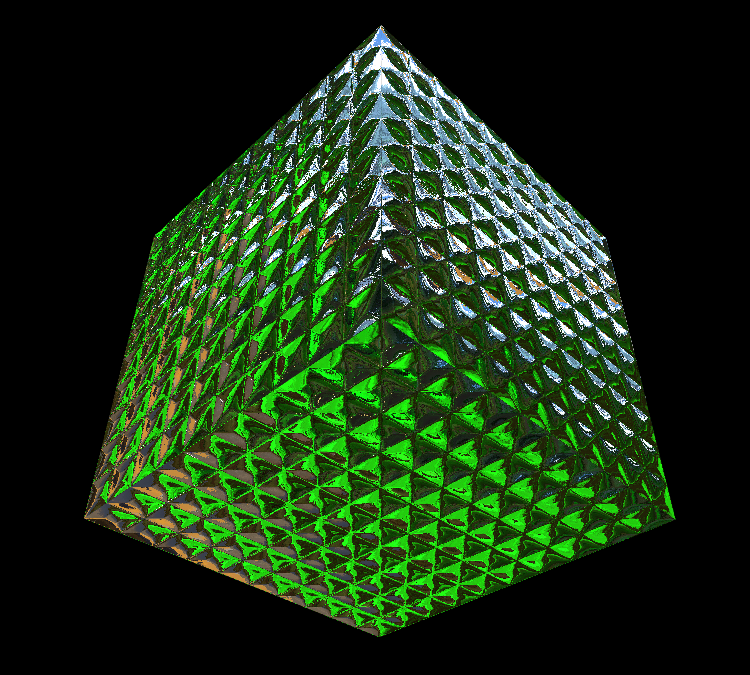
With all the (deserved) hype surrounding Stage3D, it's easy to miss some of the other great new features of Flash Player 11.
Over the weekend I tried and failed to find an example of Cubic Bezier Curves (cubicCurveTo), so there was no way out but to build one. In the past this would required a degree in maths and a minimum 4 litres of Red Bull, but with the new command any idiot can do it, and here's the proof...
DEMO
Click to add a point, click and drag to set the bezier curve. Right click to either "end" or "close" the polygon.
Once the polygon is drawn, use the control points to change the curves and vertex positions.
Press "Reset" to, err, reset.
And here's the source to get you started on your very own Illustrator clone.
Videometry.net
Flash, WebGL, HTML5 and 3D
Monday, 24 October 2011
Friday, 23 September 2011
15 Seconds of Fame
Away3D 4.0 Showreel 2011 using Flash Player 11 beta from Rob Bateman on Vimeo.
Well, actually not quite 15 seconds, but we managed to get 2 demos into the new Away3D showreel.
Tuesday, 13 September 2011
Introducing Atomizer
As seen in an earlier post, I've been messing with image based 3D. That is to say encoding 3D information into video. The technique is showing some promise, and I've started formalising it into an exporter for 3D Studio MAX and an AS3 library for Flash/Away3D. Here's another quick example. Please view in fullscreen.
To the right of the curtains you will see a small, wierd animation/film, that looks like this:
That is actually all the information needed to drive the curtain animation, that is happening realtime, as appose to a video. The vertex positions are simply captured and made into a video, that could be streamed over the net.
As you can see the video is very small. As described in a previous post it can also be applied to meshes of varying resolution.
Here's the same 3D animation with camera control
http://www.videometry.net/atomizer/cam/
.
Flash Player 11 - Release Candidate 1
We are approaching probably the most exciting Flash Player release in history!
Not since version 4 introduced scripting has there been a more major update.
We've been through quite a few beta versions, and visitors to the site will likely have experienced broken demos, as with each development cycle updates were necessary, and if you didin't have the right player, for the right demo, it was tough luck.
This morning, rather than play my customery game of online Scrabble, I went through all my old experiments and recompiled for Flash Player RC1. As the name suggests, this is not the final version, but it's worth testing some content with it, and reporting to Adobe any issues you might come across.
I'm sad to see that support for Intel graphics has been removed as it was running beautifully on my media center before this release. Apart from that, it seems very stable. Look forward to seeing it on mobile soon :O)
Not since version 4 introduced scripting has there been a more major update.
We've been through quite a few beta versions, and visitors to the site will likely have experienced broken demos, as with each development cycle updates were necessary, and if you didin't have the right player, for the right demo, it was tough luck.
This morning, rather than play my customery game of online Scrabble, I went through all my old experiments and recompiled for Flash Player RC1. As the name suggests, this is not the final version, but it's worth testing some content with it, and reporting to Adobe any issues you might come across.
I'm sad to see that support for Intel graphics has been removed as it was running beautifully on my media center before this release. Apart from that, it seems very stable. Look forward to seeing it on mobile soon :O)
Friday, 2 September 2011
Playing Havok with Flash 11
click here to open (requires Flash 11 beta2 or higher)
I remember the title of a book for salesmen, called "Fake it 'til You Make It", the idea being to fake being successful until you actually become successful. While I haven't been able to make a physics engine to rival Havok in AS3, I have found a novel way to fake it by using reactor (powered by Havok in 3D Studio MAX) to create simulations I can export to Away3D.
The resulting animation is written into a series of bitmaps that together form a small movie of the vertex movements.
Although the animation is baked (and the observant will notice it runs in a ping-pong loop right now) it's still possible to adjust the amount of effect (here "Wind Speed") programmatically, so you could call it "Half Baked".
Borrowing from a bloke called Einstein, I applied my own little "theory of relativity" and registered deviations from the rest position instead of absolute values. This way you can "mix" in the animation and even apply it to completely different meshes.
I soon realised that the resulting "animation movie" or "video space warp" (the funny coloured blocks you see when not running in Fullscreen) was actually resolution independent, that is to say it could be applied to meshes of any number of vertices. That helped solve another issue I was having, LOD. With this image based method you can achieve seamless level of detail changes even while the animation is running.
Flash is great at interpolating pixel colours, so you can even read values between pixels without much maths.
I realise that one could just register all the vertex positions into a ByteArray (which is actually what is happening under the hood) but I think it's nice to be able to see the animation and it's certainly easier to interpolate between values for different Mesh resolutions.
Another benefit I'm exploring is streaming the animation, after all video streaming and compression are built into Flash, so why not? Take it a step further and you could stream 3D scenes over an ordinary TV signal.
If you'd got the time and $'s you could completely redefine the idea of "3D TV"...
Much more to come, I suspect :O)
Labels:
3D,
3D Studio MAX,
Away3d,
Molehill
MaxScript
I've just realised I've been wasting my life for the past 15 years...
Though a regular user of 3D Studio MAX (I even taught it for 4 years), Maxscript has always been a closed book to me. Maybe it's because it wasn't there when I started using 3D Studio in DOS. Everytime I've looked at a MaxScript I've been put off by the lack of punctuation and thousands of reserved words, etc. and never thought I'd get my head round it. The other day I was more or less forced to.
I wanted to output image maps from Max, based on vertex positions (more on that in next post).
The way I started was to export the mesh, import it into Away3D then I could read the values out and save them as I wished. The only problem was I needed to save the vertex positions for 350 models and that's a lot of manual work! (== I would hate it). I found a MaxScript that could output the models for me automatically, but then I was going to have to build an AIR app to process them.
Then I thought it must be possible to use MaxScript to output the images directly. About 50 hours later it was :) Plus I'd learned a ton of other stuff I just never knew was possible. Writing custom exporters for Max is now a part of my tool set. If only I'd bothered to learn it years ago I could of saved myself weeks of work, using whatever tools I could find/afford on the net.
If you haven't taken the plunge yet, I'd encourage you to look at it. The language has it's quirks (to say the very least, for example some arrays are 0 based, some start with 1, wtf !?) but if you were ever an ActionScript 1.0 developer you're used to that ;)
The best place for scripts is http://www.scriptspot.com/
If you're not into reading about MaxScript, you're in luck. John Wainwright, the creator of MaxScript made a tutorial video, and it's available free online at http://vimeo.com/album/1514565/video/19276145
Most the concepts will be familiar if you've scripted anything else before, but I'd encourage you to see it all anyway, there's a lot of detail and tips.
Good luck!
Though a regular user of 3D Studio MAX (I even taught it for 4 years), Maxscript has always been a closed book to me. Maybe it's because it wasn't there when I started using 3D Studio in DOS. Everytime I've looked at a MaxScript I've been put off by the lack of punctuation and thousands of reserved words, etc. and never thought I'd get my head round it. The other day I was more or less forced to.
I wanted to output image maps from Max, based on vertex positions (more on that in next post).
The way I started was to export the mesh, import it into Away3D then I could read the values out and save them as I wished. The only problem was I needed to save the vertex positions for 350 models and that's a lot of manual work! (== I would hate it). I found a MaxScript that could output the models for me automatically, but then I was going to have to build an AIR app to process them.
Then I thought it must be possible to use MaxScript to output the images directly. About 50 hours later it was :) Plus I'd learned a ton of other stuff I just never knew was possible. Writing custom exporters for Max is now a part of my tool set. If only I'd bothered to learn it years ago I could of saved myself weeks of work, using whatever tools I could find/afford on the net.
If you haven't taken the plunge yet, I'd encourage you to look at it. The language has it's quirks (to say the very least, for example some arrays are 0 based, some start with 1, wtf !?) but if you were ever an ActionScript 1.0 developer you're used to that ;)
The best place for scripts is http://www.scriptspot.com/
If you're not into reading about MaxScript, you're in luck. John Wainwright, the creator of MaxScript made a tutorial video, and it's available free online at http://vimeo.com/album/1514565/video/19276145
Most the concepts will be familiar if you've scripted anything else before, but I'd encourage you to see it all anyway, there's a lot of detail and tips.
Good luck!
Thursday, 21 July 2011
Setting up CS5 and CS5.5 to target Flash 11 player
I've seen a lot of people looking for a way to publishing Flash 11 content from the CS5 and CS5.5 IDE, so here's a quick guide...
(I don't have CS5.5 myself, or a Mac, but have set it up on a mates machine so I know it can be done, please bare with me!)
1. If Flash is running, close it. Go into your Flash directory (usually Programs > Adobe > Flash) and find Common > Configuration > ActionSctipt3.0
In that folder you should see several folders, including FP9 and FP10 etc.
Create a new folder and call it FP11.
2. Download the globalPlayer.swc from Adobe labs.
http://labs.adobe.com/downloads/flashplayer11.html
Save it in your new folder. (it will have a longer name, so rename it to playerglobal.swc)
3. You need to create a player profile, so you can choose Flash Player 11 from Flash.
Under Common > Configuration > Players you will see a bunch of xml documents. Open the one called FlashPlayer10_1.xml or any Flash 10 player file.
In that you will see a path to a playerglobal.swc
Change the path so it points to the one you just downloaded and change the name of the player, etc.
There's 2 lines I changed in my CS5 version:
and
(I don't know why it's version 13, but it is!)
Save the file in the same folder, as FlashPlayer11.xml
Here's a link to my file, if you're stuck, but it may vary slightly depending on where you have flash installed.
http://www.videometry.net/broomstick/FlashPlayer11.xml
Now you should be good to go!
Remember to choose Flash Player 11 in you publishing settings and Hardware Settings: "Level 1 - Direct" to turn on hardware acceleration.
When publishing, you need to publish direct to the browser (F12) as Flash will still have a F10 stand alone player for previewing/debugging.
If you want to run examples that use the EMBED tag you will need to download the Flex SDK.
Any questions, or variations you come across, just make a comment and I'll help if I can.
Good luck!
(I don't have CS5.5 myself, or a Mac, but have set it up on a mates machine so I know it can be done, please bare with me!)
1. If Flash is running, close it. Go into your Flash directory (usually Programs > Adobe > Flash) and find Common > Configuration > ActionSctipt3.0
In that folder you should see several folders, including FP9 and FP10 etc.
Create a new folder and call it FP11.
2. Download the globalPlayer.swc from Adobe labs.
http://labs.adobe.com/downloads/flashplayer11.html
Save it in your new folder. (it will have a longer name, so rename it to playerglobal.swc)
3. You need to create a player profile, so you can choose Flash Player 11 from Flash.
Under Common > Configuration > Players you will see a bunch of xml documents. Open the one called FlashPlayer10_1.xml or any Flash 10 player file.
In that you will see a path to a playerglobal.swc
Change the path so it points to the one you just downloaded and change the name of the player, etc.
There's 2 lines I changed in my CS5 version:
<player asversion="3" id="FlashPlayer11" version="13"></player>
and
<playerdefinitionpath as2="$(UserConfig)/Classes/FP10;$(UserConfig)/Classes/FP9;$(UserConfig)/Classes/FP8;$(UserConfig)/Classes/FP7" as3="$(AppConfig)/ActionScript 3.0/FP11/playerglobal.swc"></playerdefinitionpath>
(I don't know why it's version 13, but it is!)
Save the file in the same folder, as FlashPlayer11.xml
Here's a link to my file, if you're stuck, but it may vary slightly depending on where you have flash installed.
http://www.videometry.net/broomstick/FlashPlayer11.xml
Now you should be good to go!
Remember to choose Flash Player 11 in you publishing settings and Hardware Settings: "Level 1 - Direct" to turn on hardware acceleration.
When publishing, you need to publish direct to the browser (F12) as Flash will still have a F10 stand alone player for previewing/debugging.
If you want to run examples that use the EMBED tag you will need to download the Flex SDK.
Any questions, or variations you come across, just make a comment and I'll help if I can.
Good luck!
Labels:
Broomstick,
flash,
flash 11,
Molehill
Subscribe to:
Posts (Atom)